Introduction
diy-analytics is a privacy-first, self-hosted web analytics platform. Deploy it on your own infrastructure, connect your own PostgreSQL database, and keep full ownership of your telemetry data.
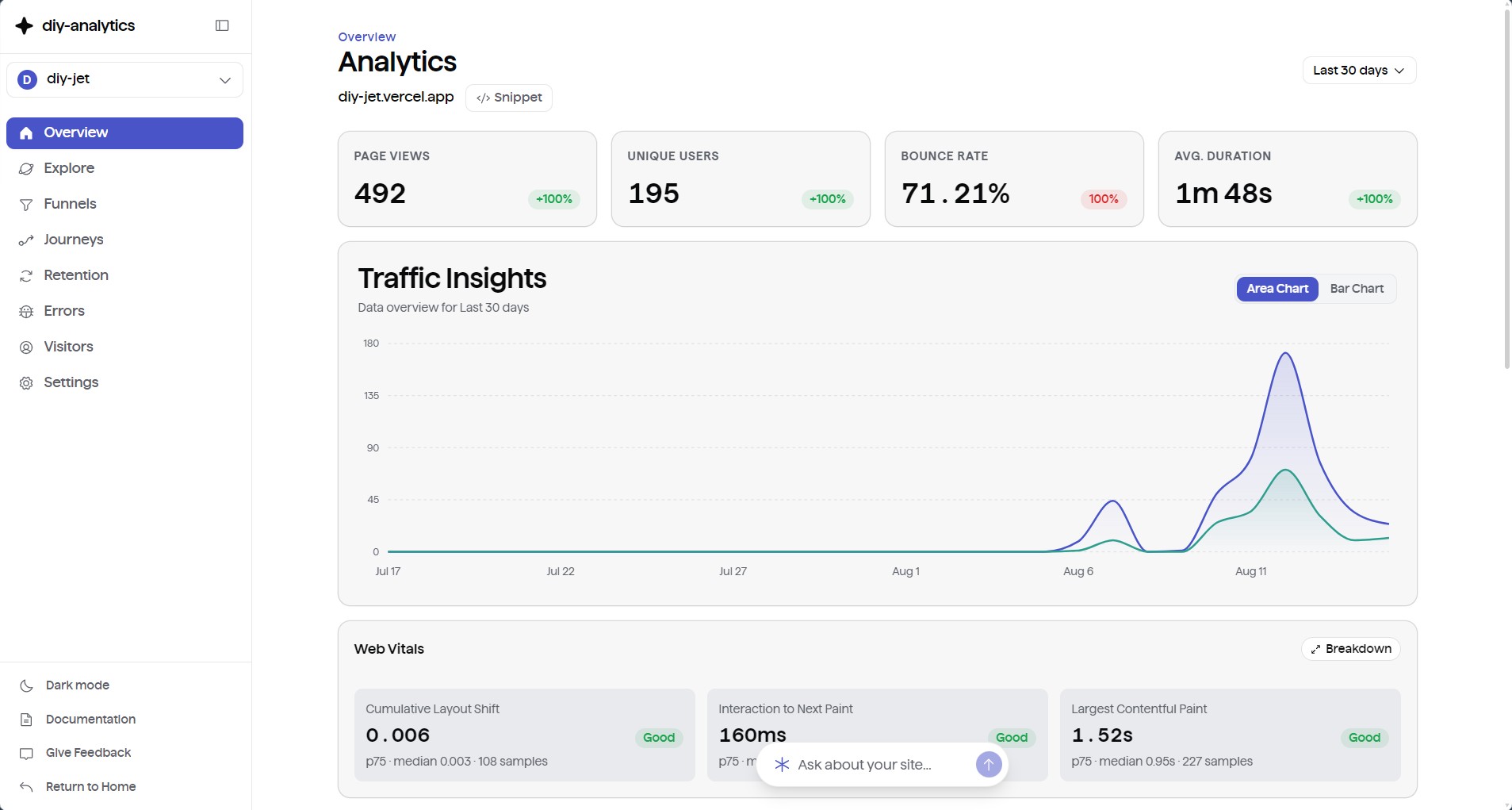
It gives engineering and product teams what they need to understand user behavior, monitor application health, and track conversions — without cookie consent banners, privacy compliance overhead, or a growing SaaS bill.
Why diy-analytics
- Full data ownership. Every event, visitor profile, and time-series rollup lives in your own PostgreSQL database via Drizzle ORM.
- Cookieless and privacy-first. Cryptographically hashed, rotating session tokens replace tracking cookies and PII storage. Compliant with GDPR, CCPA, and PECR without a consent banner.
- Built-in AI copilot. Ask questions in plain English — "How many unique visitors signed up from Europe this week?" — and get answers computed directly from your database.
- Native MCP server. Connect AI coding assistants (Claude Desktop, Cursor, Zed, Codex) to your live analytics through
/api/mcpand API bearer tokens. - Core Web Vitals and error tracking. Automatically collects LCP, CLS, and INP, plus client-side JavaScript exceptions grouped by fingerprint.
- Advanced analytics tooling. Multi-condition query exploration, Sankey user journey diagrams, multi-step conversion funnels, weekly retention cohorts, and live visitor monitoring.
- A lightweight tracker. A single vanilla JavaScript script under 2 KB, loaded with
async deferso it never blocks rendering or hurts your Lighthouse score.
Documentation
Quickstart Deployment
Deploy a live instance on Vercel with Neon or Supabase PostgreSQL in under 3 minutes.
Connecting Your Website
Drop-in snippets for Next.js, React, Astro, Vue, SvelteKit, WordPress, and HTML.
Dashboard & Core Metrics
Explore traffic charts, click-to-filter drilldowns, and live visitor pulse monitoring.
Model Context Protocol (MCP)
Connect Claude Desktop, Cursor, and Zed directly to your analytics via native MCP endpoints.
Custom Events & Vitals
Track custom user actions, measure Core Web Vitals, and configure privacy opt-out.
Error & Crash Monitoring
Inspect uncaught exceptions, stack traces, breadcrumbs, and source maps.
Database Setup & Pooling
Configure Neon, Supabase, Vercel Postgres, or self-hosted PostgreSQL instances.