Error & Crash Monitoring
diy-analytics captures runtime JavaScript crashes, unhandled promise rejections, and failed asset loads directly from visitor browsers — no external monitoring SDK required.
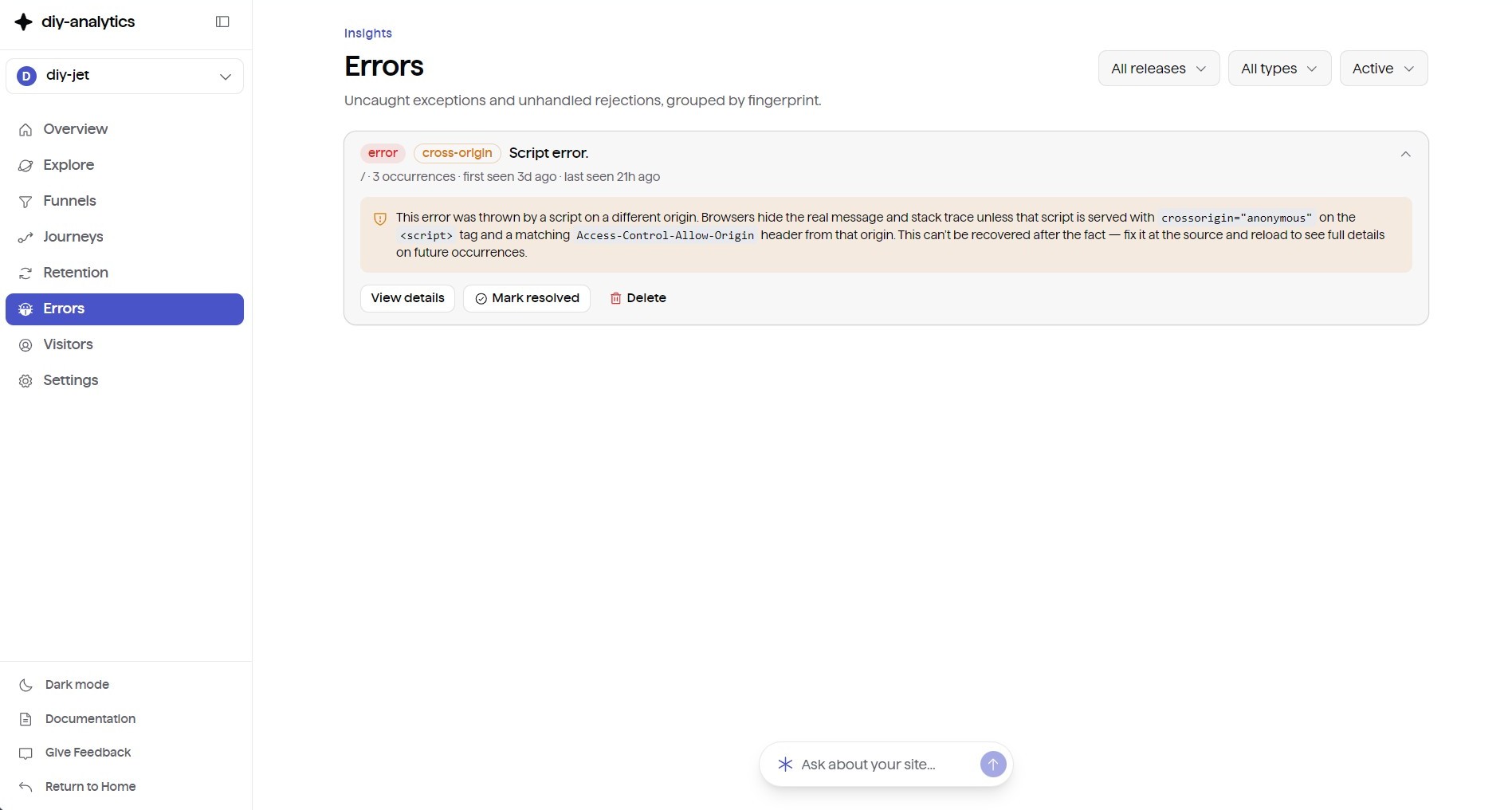
How It Works
The tracker hooks into global browser error boundaries (window.onerror and window.onunhandledrejection). When a crash occurs, it gathers diagnostic telemetry and sends an error beacon to /api/track.
Key Capabilities
- Smart Error Fingerprinting — normalizes error messages and top stack frames to group identical exceptions together, staying resilient across minification changes.
- Regression Detection — when a previously resolved error reoccurs in a later release, it reopens automatically and gets flagged with a Regression badge.
- On-Demand Source Map Resolution — resolves minified production stack traces against deployed
//# sourceMappingURL= artifacts to show original source lines and function context.
- Breadcrumbs Timeline — records the last 20 client events before the crash: console logs, DOM click targets, network
fetch/XHR requests, and SPA route transitions.
- Impact Metrics — raw crash occurrences alongside distinct affected user counts, operating systems, browsers, and geographic distribution.
Release Tagging
Tag your production deployments with a version string to filter errors and pinpoint which release introduced a bug:
1<script>
2  window.__DIY_RELEASE__ = "v2.1.0";
3</script>
4<script async defer src="https://analytics.yourdomain.com/api/tracker.js?site-id=YOUR_SITE_ID"></script>
In Next.js, you can define this in your root layout:
1// app/layout.tsx
2<script
3  dangerouslySetInnerHTML={{
4    __html: `window.__DIY_RELEASE__ = "${process.env.NEXT_PUBLIC_APP_VERSION || 'production'}";`,
5  }}
6/>
Manual Exception Capture
Capture caught exceptions or errors from React Error Boundaries manually, with custom diagnostic metadata attached:
1try {
2  executeCriticalTransaction();
3} catch (error) {
4  window.__DIY_CAPTURE_EXCEPTION__?.(error, {
5    level: 'error', // 'error' | 'warning' | 'info'
6    tags: {
7      component: 'CheckoutModal',
8      featureFlag: 'new-payment-flow'
9    },
10    extra: {
11      cartTotal: 120.50,
12      currency: 'USD'
13    }
14  });
15}
React Error Boundary Example
1// components/ErrorBoundary.tsx
2'use client';
3
4import React, { Component, ErrorInfo, ReactNode } from 'react';
5
6interface Props {
7  children: ReactNode;
8}
9
10interface State {
11  hasError: boolean;
12}
13
14export class ErrorBoundary extends Component<Props, State> {
15  constructor(props: Props) {
16    super(props);
17    this.state = { hasError: false };
18  }
19
20  static getDerivedStateFromError(): State {
21    return { hasError: true };
22  }
23
24  componentDidCatch(error: Error, errorInfo: ErrorInfo) {
25    if (typeof window !== 'undefined' && window.__DIY_CAPTURE_EXCEPTION__) {
26      window.__DIY_CAPTURE_EXCEPTION__(error, {
27        tags: { componentStack: errorInfo.componentStack || '' },
28      });
29    }
30  }
31
32  render() {
33    if (this.state.hasError) {
34      return (
35        <div className="p-6 text-center">
36          <h2>Something went wrong.</h2>
37          <button
38            className="mt-4 px-4 py-2 bg-blue-600 text-white rounded"
39            onClick={() => this.setState({ hasError: false })}
40          >
41            Try again
42          </button>
43        </div>
44      );
45    }
46    return this.props.children;
47  }
48}
TypeScript Declaration
Add the error monitoring API to your global types.
1// types/analytics.d.ts
2declare global {
3  interface Window {
4    __DIY_RELEASE__?: string;
5    __DIY_CAPTURE_EXCEPTION__?: (
6      error: unknown,
7      context?: {
8        level?: 'error' | 'warning' | 'info';
9        tags?: Record<string, string>;
10        extra?: Record<string, unknown>;
11      }
12    ) => void;
13  }
14}
15
16export {};
Next Steps